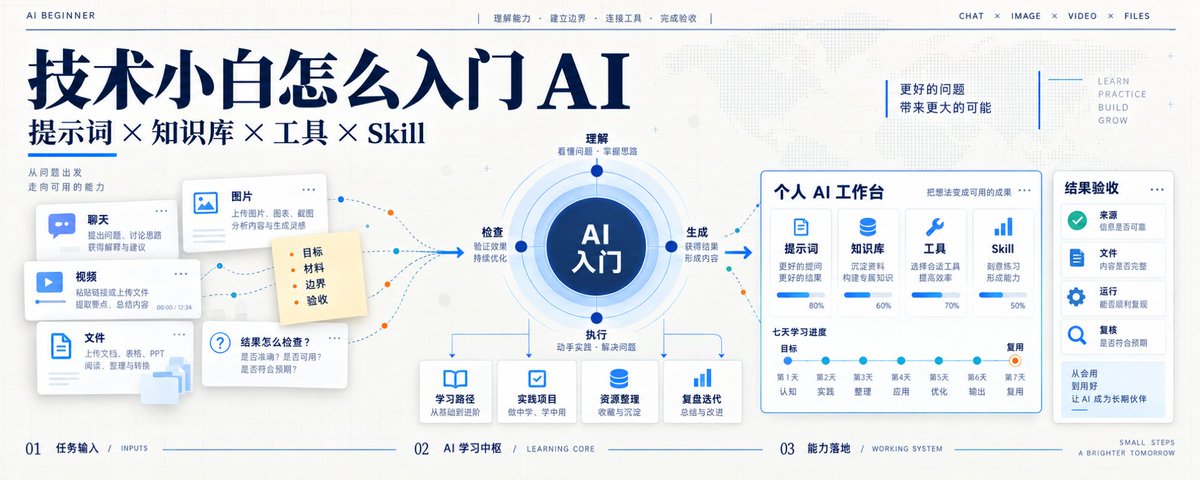
Getting Started with AI from Zero: All You Need (No Paid Courses Required)
Lately quite a few people have asked me: I don't have much of a technical background — is it too late to start learning AI now?
After looking around, you may have bookmarked dozens of articles and installed a pile of tools, and still not know what you have actually learned.
A non-technical beginner only needs one roadmap to get into AI — no paid course, no getting fleeced: first understand what AI is doing, then why it makes mistakes, then learn to give it material, set boundaries, connect tools and check results. When something keeps coming back, turn it into a Skill.
Once you have walked this path, you will be able to keep learning any AI tool on your own.
1. The four core things AI can do
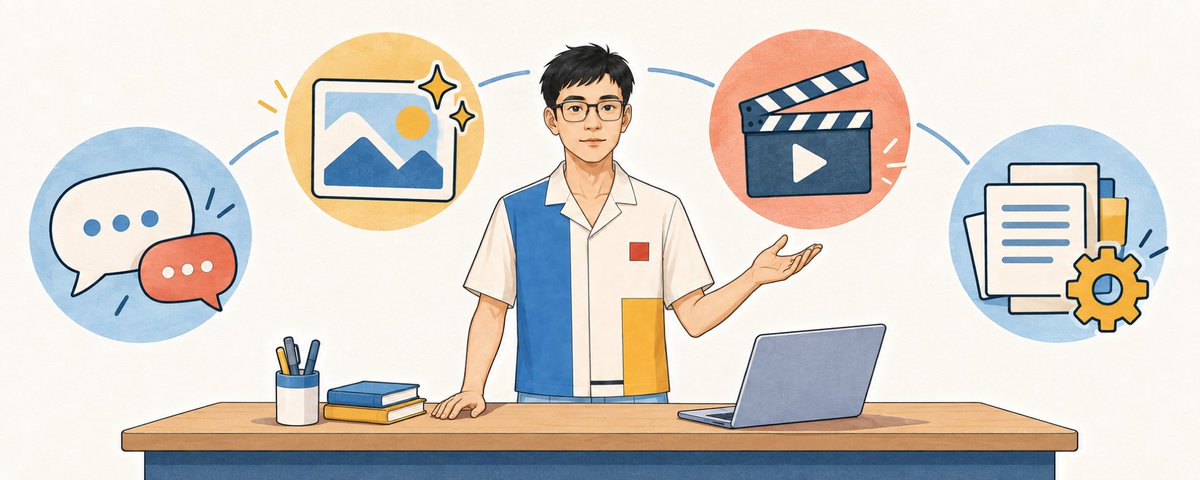
When beginners first look at AI, product names make their heads spin. Today it's ChatGPT, tomorrow Doubao, the day after a new Agent. Strip away the interfaces and they mainly do four kinds of things.
The first is understanding and expressing.
You can ask it to explain a concept, compare a few options, help you sharpen a vague idea, or rewrite specialist content in words ordinary people understand. What most people call "chatting with AI" lives at this level.
The second is generating content.
Articles, emails, images, voice, video scripts, storyboards, even code you can use directly — AI can generate all of them. Whatever it generates still needs checking. An image may look good while the text in it is wrong; a video may play while the sound, captions and picture don't line up.
The third is working on things that already exist.
Pulling key points out of a PDF, finding the differences between two contracts, turning meeting notes into to-dos, editing documents, checking spreadsheets, renaming a batch of files. At this level you check whether the original numbers, file structure and real intent were preserved.
The fourth is taking action through tools.
Looking up web pages, searching files, reading a calendar, calling company systems, running a program, creating or editing files all belong here. Products like Codex can both give advice and do the work inside an environment you have authorized.
These four abilities can be combined. Give it the material for a new product and it reads the files, summarizes them, writes an article with images, and finally puts the files in the right folder. Each extra layer of ability adds one more layer of things to check.
One sentence is enough to remember for now: AI can answer, generate and act, and each kind of result has its own way of being checked.
2. Why AI is good one moment and bad the next
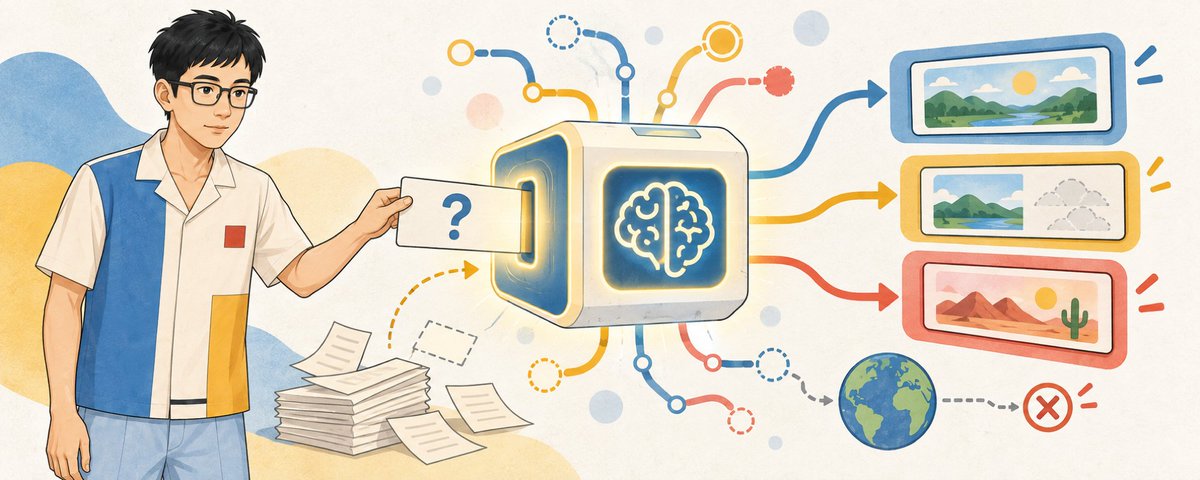
Many people find AI magical the first time and think it is talking nonsense the second. That swing comes from generation probability, the current context and the information in the task.
A large language model continues with the most suitable next content based on what it has just received. There is probability in this process: ask the same question twice and the wording and details may differ.
When AI does a task badly, there are four common reasons.
First, you were too vague. "Help me optimize this" doesn't say what to optimize, so it can only guess.
Second, it lacks the material it needs. Ask it to assess a project without the project documents, real results and user feedback, and it can only fill the gaps with generic experience.
Third, what you are asking about lives outside the model. Today's stock price, your company's live inventory, the file you just finished on your computer — none of them appear in front of it out of thin air. It needs to read files, search the web, or query real systems through tools.
Fourth, the task has no acceptance check. Code needs to run, files need to be opened, facts in an article need verifying. When accepting the work, look at the files, sources, run results, the diff of changes and the finished product.
Separate these four problems and you can treat each one properly. If the task is unclear, fix the task; if material is missing, add context; if it needs outside information, give it tools; if results are unstable, add checks and human confirmation.
3. A prompt is a task brief
A prompt is a task brief you hand to AI. Its job is to make the goal, material, boundaries and definition of done clear.
A useful task brief answers at least four questions.
What do you want to get?
Which material affects the answer?
What must not be done?
How do you prove it is really finished?
Say you write "help me sort out this material": it doesn't know whether you want a summary, an article, a slide deck, or something to report to your boss tomorrow. Phrase it like the example below and the result becomes much easier to check.
Goal:
Turn the material I provide into an explainer for non-technical beginners.
Context:
The readers are just starting with AI and don't know the jargon.
Use only the material I provide. Mark any fact outside it as "to be confirmed".
Boundaries:
- Keep the numbers, product names and limitations from the original.
- Mark anything without a source as "to be confirmed".
- Don't modify the original file; save the result as a separate copy.
Definition of done:
- A beginner can understand what each concept is for.
- Every key conclusion can be traced back to the original material.
- Finish with a list of items to be confirmed and the files produced.
The prompt is the first boundary. If AI can already edit files, send messages or call company systems, also check what permissions it has. Read-only access rules out deletion outright.
Reliable boundaries come in four layers: the prompt states the task, context supplies material, permissions limit actions, and acceptance decides whether it can be delivered.
The layer beginners skip most is the last one. If AI edited an article for you, check the numbers, names, images and quotes; if Codex changed files, look at the actual diff, open the result and run the relevant checks. Don't just take its own account of what it did.

4. Once you have a lot of material, you'll need a knowledge base
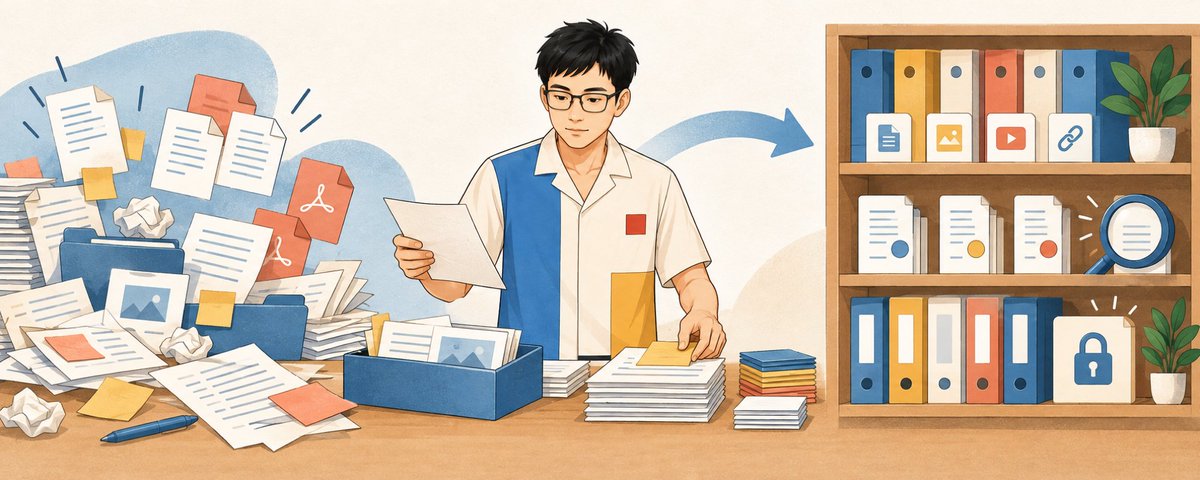
A knowledge base suits material that is reused, keeps being updated, or needs to be traced back to its source.
If you just want to read one report, uploading the file to AI is enough. A knowledge base starts to pay off when you keep re-uploading the same batch of files, or can no longer remember where last time's conclusions came from.
Context, memory and a knowledge base each solve a different problem.
Context is what AI can see right now, within this task. Memory is more like your long-term preferences, background and history. A knowledge base holds material that is queried again and again and needs to point back to its sources. A company's inventory today, current orders and user balances are real-time data: they usually have to be looked up in the system, not stuffed into a knowledge base as a few old documents.
Four questions tell you whether you need a knowledge base:
- Will this material be used again and again?
- Will the content keep being updated?
- Must answers cite their basis?
- Can different people only see different content?
If all four are light, folders and file uploads are enough. Only when reuse, updates, sources and permissions get more complex do you need to move toward a proper knowledge base.
A knowledge base has to deal with document parsing, stale versions, source tracing and file permissions. If the raw material is a mess, what gets retrieved will be a mess too.
So when you are starting out on your own, build a very simple structure: raw material, verified notes, projects in progress, finished outputs. At this point it doesn't have to be a dedicated product — a well-organized folder can be the start of a knowledge base.
5. AI gets outside information through tools
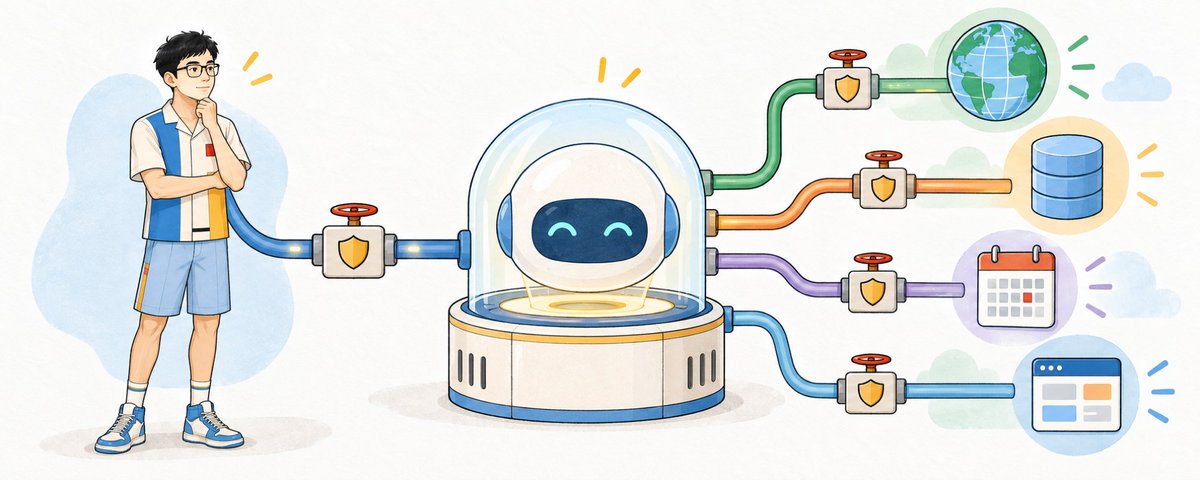
When you ask "what's the weather in Shanghai today" or "how much stock does the company have right now", the answer isn't inside the model; it's out in the world.
Browser search, reading files, database queries, reading and writing a calendar — at heart, each gives AI one more entrance to the outside world.
"Tool" is the easiest word to understand. It is simply an ability AI can call. "Check today's weather" can be a tool, "search inside files" can be a tool, and "create a calendar event" can be a tool too.
An Agent is a way of getting things done. Once you give it a goal, it plans the next step, picks a tool, looks at the result, and decides whether to continue, retry, or stop and ask a person. The model understands and judges, tools take action, and the Agent links these steps into a loop.
An API is a common kind of system interface. Think of it as a service counter: the window lists what business it handles, what you need to hand in, and what you get back. When AI submits a request following the interface's rules, it can use the capability behind the counter.
A tool call takes several steps: AI decides it needs data and proposes a tool call, the external system actually executes it, and the result goes back to AI, which carries on putting the answer together.
MCP solves a different problem: as external tools multiply, how do you offer their capabilities to AI in a fairly uniform way? It won't turn a bad tool into a good one, and it won't sort out account authentication and permissions for you.
A beginner should first ask one question: does this task need information that AI can't currently see?
To read the file in front of you, just upload it. For the latest news, use web search you can verify. To read company data, query it through a controlled interface. Sending emails, changing schedules and submitting orders are write actions in the outside world; they need identity, authorization, confirmation and an audit trail.
Reading and writing carry different levels of risk. Let AI query first, then open up editing; let it produce a draft first, then have a person confirm before sending. Boundaries like these are more reliable than "please be very careful".
6. A workflow is worth turning into a Skill only once it is used repeatedly
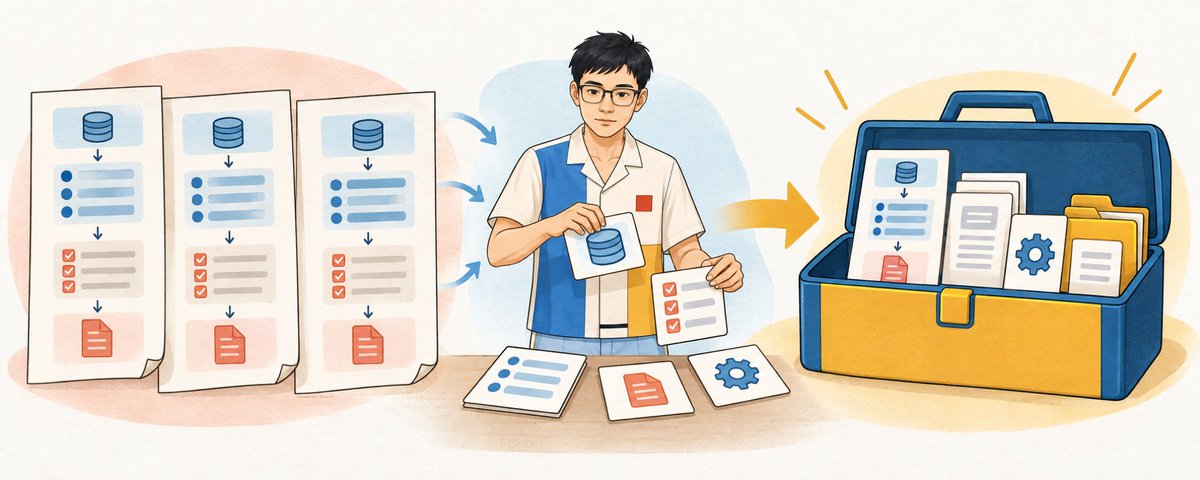
When a set of requirements is used over and over, you can save it.
Suppose you write up meeting minutes every week and the rules are already stable: separate confirmed decisions from proposals still under discussion, leave the owner blank if none was named, mark unclear dates as to be confirmed, and output a fixed table at the end. That is when you can turn it into a Skill.
A Skill is a reusable work package. It must make at least five things clear:
- when it should be used;
- what input it needs;
- what steps to follow;
- what result it produces;
- when it must stop and ask a person.
When needed, a Skill can also carry reference material, templates, assets and scripts. For example, checking before publishing that every image in a Markdown file exists is a mechanical job a script does more reliably than a model eyeballing it.
After a workflow has actually been used two or three times, the repeated parts become clear. Once the inputs, steps and checks have settled, it can be captured as a Skill.
Prompts, checklists and SOPs you have written before can all become material for a Skill. When capturing it, remove temporary paths, account details and one-off data, and keep the reusable methods and judgment.
Prompts, knowledge bases, tools and Skills, one sentence each:
- A prompt tells AI what to do this time.
- A knowledge base tells AI which material it can draw evidence from.
- Tools give AI the chance to look up data or take action.
- A Skill tells AI how to do this kind of thing reliably from now on.
Once you can tell these four words apart, new product names won't lead you astray so easily.
7. Walk through seven days with one example
Everyone's work is different, and treating one narrow task as everyone's required course doesn't explain much. So for these last seven days I offer just one general example:
Pick a direction you really want to learn, switch to or move into, and build a learning pack you can keep updating.
The seven days follow this one line:
State the goal → take stock of material → fill in outside information → build a minimal knowledge base → find the skill gaps → plan four weeks → capture templates and Skills.
- Day 1: state your goal, your starting point and how much time you can put in.
- Day 2: hand the job descriptions, courses, articles and notes you already have to AI to take stock.
- Day 3: use web search or tools to fill in missing information, keeping the source and date.
- Day 4: sort the material into four folders: raw material, verified notes, learning tasks and finished outputs.
- Day 5: have AI compare against your goal to find gaps, pairing each gap with a result that can be checked.
- Day 6: lay out a four-week plan, with only one theme and one deliverable per week.
- Day 7: keep the prompts, templates and checklists that worked; once they have been reused reliably two or three times, turn them into a Skill.
In the end you'll have a one-page goal, a material list, a skills map, a four-week plan, reusable templates and an error log. What's really worth taking away is the prompt below. Fill in the four items and hand it straight to ChatGPT or Codex; it will walk you through day by day.
You are my AI beginner coach. Please guide me to build a "personal career-change learning pack" in seven days.
The direction I want to learn or move into: [fill in the direction]
My current work and experience: [fill in]
The time I can put in each day: [fill in]
The material I already have: [fill in or upload]
Please work through it with me along this seven-day path:
Day 1: clarify the goal, starting point and available time, and list the information you still need from me.
Day 2: take stock of the material I provide, separating "the original material" from "your judgment".
Day 3: find the missing outside information, keeping the source, publication date and link.
Day 4: set up a minimal knowledge base, split into raw material, verified notes, learning tasks and finished outputs.
Day 5: map the skill gaps against the goal, pairing each gap with a result that can be checked.
Day 6: draw up a four-week plan, with only one theme and one deliverable per week.
Day 7: put together the final learning pack, and identify the prompts, templates and checklists that can be reused.
Please follow these rules as you go:
1. Cover only one day's content at a time.
2. Before each day starts, state the problem to solve that day and the files to deliver.
3. If information is missing, ask me first. All experience, goals and data are as I provide them.
4. When using outside information, keep the source and date, and separate facts, inferences and suggestions.
5. At the end of each day, have me check the output and record the errors found and the parts that need changing.
6. Move on to the next day only after I confirm that day's results.
Now please ask no more than 5 questions to understand my starting point, and draw up the learning plan only after I answer.

The 10 questions beginners ask most
1. I can't code. Can I learn AI?
Yes. Without coding you can still learn to ask questions, provide material, generate content, read files and check results. Coding helps you connect APIs, build products and handle complex data.
At the beginner stage, practice three basic skills: stating the problem clearly, judging whether a result is useful, and spotting errors in numbers, facts and logic.
2. ChatGPT, Doubao or Codex — which should I learn first?
Pick one you can open right now and are willing to use for a week straight.
For asking questions, writing, reading files and making images, start with a general chat tool. For working with folders, changing projects or running checks, use Codex. In the first week, stick with one tool and focus on getting tasks done.
3. Is a longer prompt better?
The task decides the prompt's length. A useful prompt has just enough information: a clear goal, the right material, explicit boundaries and a definition of done you can check.
A complex task can take two thousand words; a simple one is fine with three sentences. Every sentence should give the task useful information.
4. Why does the same prompt give different results each time?
Because generation itself involves probability, and the current conversation, uploaded material, tool results and product settings also affect what comes out.
Creative tasks can keep the variation. Contracts, numbers and fixed formats need templates, fixed fields, programmatic checks and human spot checks.
5. Can I trust AI's answers as they are?
Judge by the risk of the task. "Help me make this sentence read better" and "help me decide whether chest pain means I should go to hospital" carry completely different risks.
Creative and low-risk drafts can be tried quickly. For anything medical, legal, financial, safety-related, HR or genuinely published to others, go back to authoritative sources and the people responsible. If one wrong sentence could make you pay, sign, take medicine, delete data or affect someone else, don't believe it just because AI sounded certain.
6. Do I need a knowledge base from the start?
For one-off tasks, just upload the files; for long-term personal learning, start by organizing folders and notes. Build a more formal knowledge base only once material is reused, keeps being updated, or needs sources and permissions handled.
First gather a batch of material you'll use again and again, then think about building RAG.
7. What exactly is the difference between an API, a tool and MCP?
An API is the interface a system offers to the outside. A tool is a specific ability AI can currently call. MCP is a general protocol and way of connecting that offers outside capabilities to AI.
A tool may call an API behind the scenes, or it may read files or run programs locally. An MCP server can offer AI several tools. A beginner should first ask what this connection can read, what it can write, and who authorizes it.
8. When should a workflow become a Skill?
Only after you have actually done it at least two or three times and already know the inputs, the steps, when it fails and what counts as done.
If you are still rewriting the whole method every time, it is still exploration. If you've started copying the same prompt, the same template and the same checklist again and again, it's time to capture it.
9. Do I have to pay to learn AI well?
Not necessarily. Free products already let you learn to break problems down, write prompts, work with files and check results. Paying usually affects which models you can use, usage limits, speed, and file and tool capabilities — these change as products change, so they shouldn't be written into a learning path as permanent rules.
First finish a small project with what you can use now. Once you know exactly which limitation is holding you back, pay for that specific limitation.
10. Can I upload company files straight to AI?
First check whether your company allows it.
Look at company rules, your account type, the data-processing terms and how sensitive the file itself is. Passwords, keys, ID details, customer privacy, unpublished financial data and contract-protected material should never be uploaded casually just because you "only want AI to take a look".
When unsure, test the workflow with public material, made-up data or anonymized samples first. Before using AI, decide which content can be handed to it.
Learning AI means steadily producing results you can check. Constantly switching tools only keeps your learning stuck at getting familiar with interfaces.
You can start right now with one real problem: put the material in, let AI hand in a first version, then check it yourself. When something goes wrong, see whether it's missing the task, the context, the tools or the acceptance check.
Once this line runs smoothly, you'll have a yardstick in mind when you go on to learn new models, new products and new Agents.
────────────────────────