Connecting Muse to Fish Audio: the complete process from signup to speech
In a nutshell: Azure is stable but its voices are relatively fixed; Fish Audio supports cloning and distinctive voices. Connect it in six steps, taking about five minutes in total.
You can simply tell Muse in your conversation that you want to connect Fish Audio, then follow Muse's instructions step by step.
Here is the detailed tutorial:
Step 1: Register a Fish Audio account
Open fish.audio and register an account. An email address is all you need.
Step 2: Switch to Developer mode
After logging in, open the menu in the upper-left corner and switch from Creative to Developer:
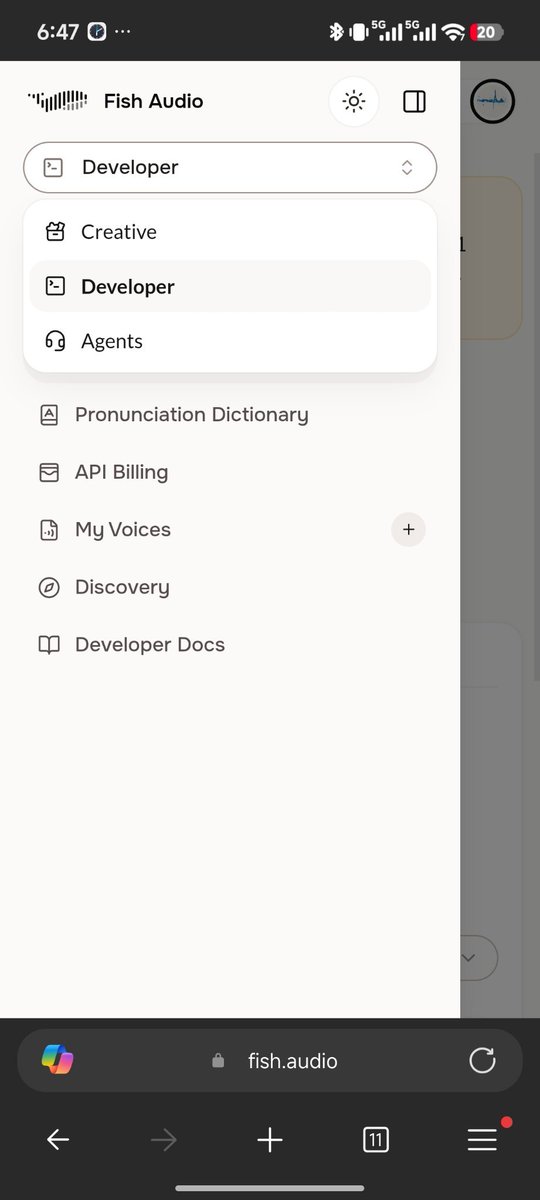
Developer mode is where API Billing, My Voices, Developer Docs and other developer tools appear. This is where the API key is located.
Step 3: Check the free allowance
Take a look in Team Settings:
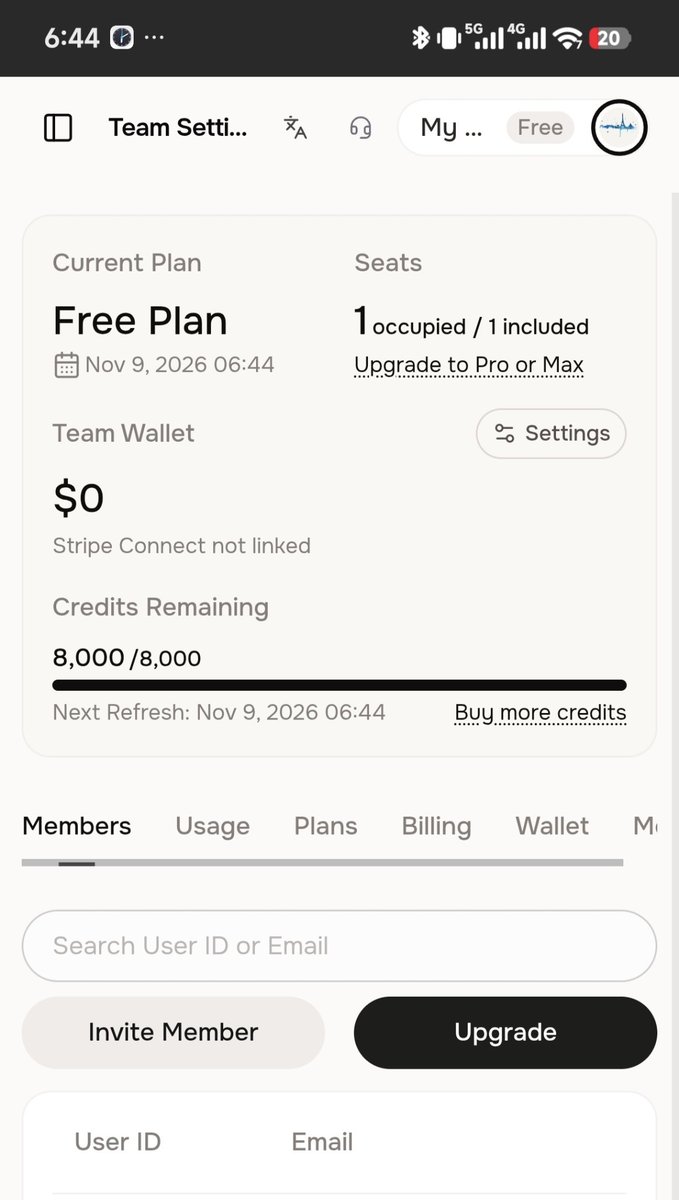
- Current Plan: Free Plan, with no payment needed
- Credits Remaining: 8,000 / 8,000, refreshed monthly (Next Refresh), which is plenty for experimenting
Step 4: Create an API key
Go to API Keys and click Create API Key:
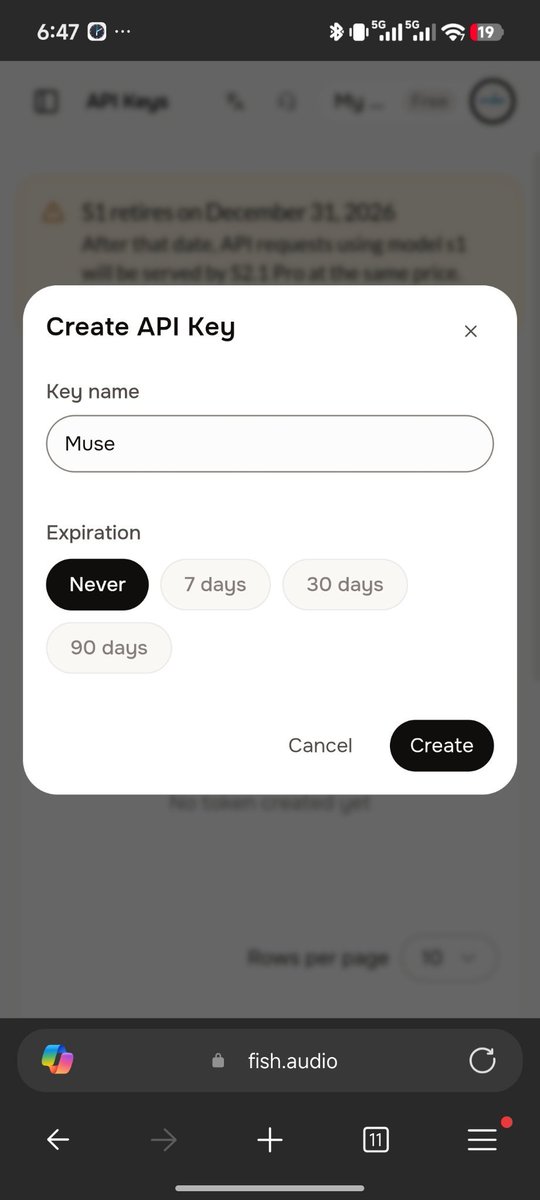
- Enter Muse as the Key name so you can recognize it later
- Choose Never for Expiration to avoid having to deal with an expired key later
Click Create. Keep two things in mind:
- The complete key is shown only once. Copy and save it as soon as it appears; if you lose it, you can only delete it and create another.
- A notice at the top says the S1 model retires on December 31, 2026, after which requests automatically use S2.1 Pro. Our calling script already uses s2.1-pro-free by default, so no action is needed.
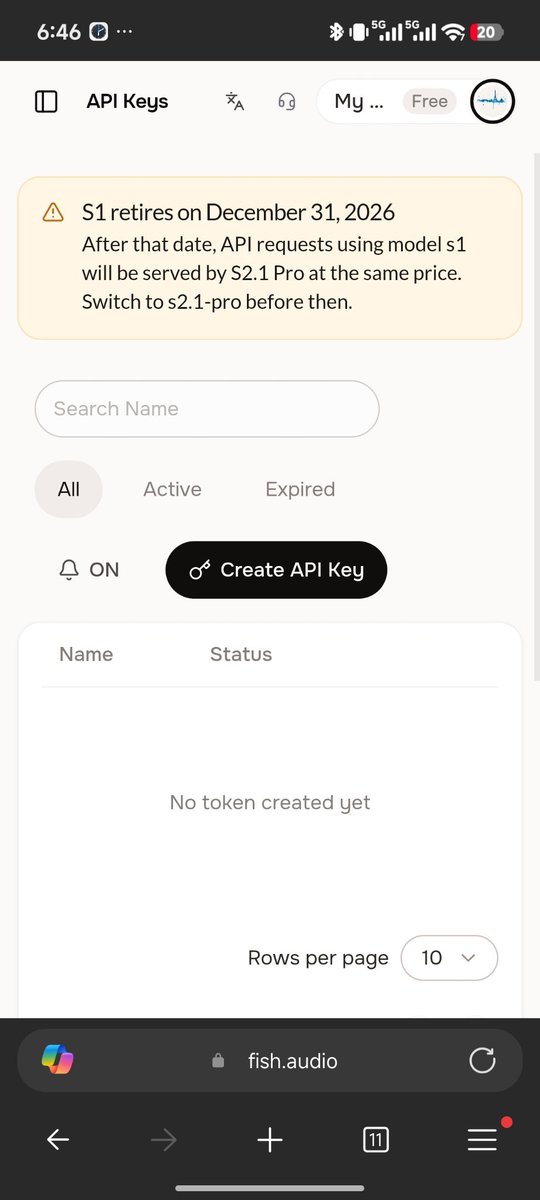
Step 5: Enter the key in Muse
Return to the Muse conversation and say you want to connect Fish Audio. Find the Fish Audio connector card sent by Muse, click “关联” (Link), paste the key and submit:
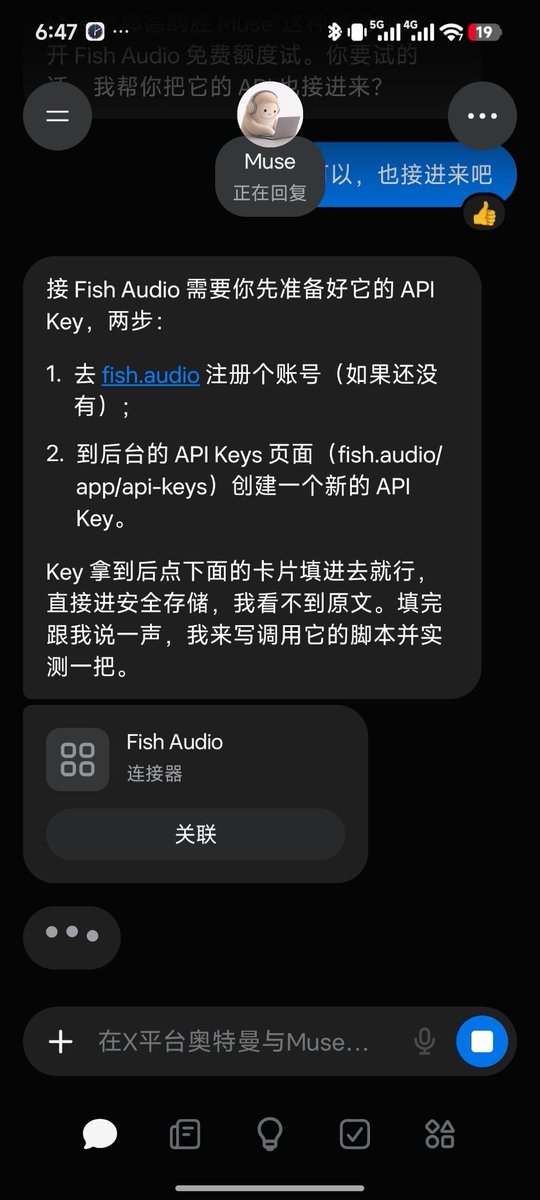
Step 6: Write a calling script and test it (completed)
Ask Muse to test the voice. Once it produces sound normally, the pipeline is working.
How to use it after connecting
- Keep Azure for Muse's everyday voice: stable and free
- For distinctive voices, tell Muse the style you want and it will generate the audio with Fish Audio
- To clone your own voice, upload a ten-second recording in My Voices on the website, then send Muse the voice model ID. Future voiceovers can use your cloned voice.
Things to keep in mind
- The free allowance refreshes monthly; do not use it all up in one month
- Never clone a real person's voice, such as a streamer or celebrity, and publish it publicly. That is a red line.
- If your key is exposed, delete it on the API Keys page and create another